Bring people into the team without a form for each case
Type an email or a phone. Someone who already has an account joins on the spot; someone who does not is invited, or gets an account created for them, as your product prefers.
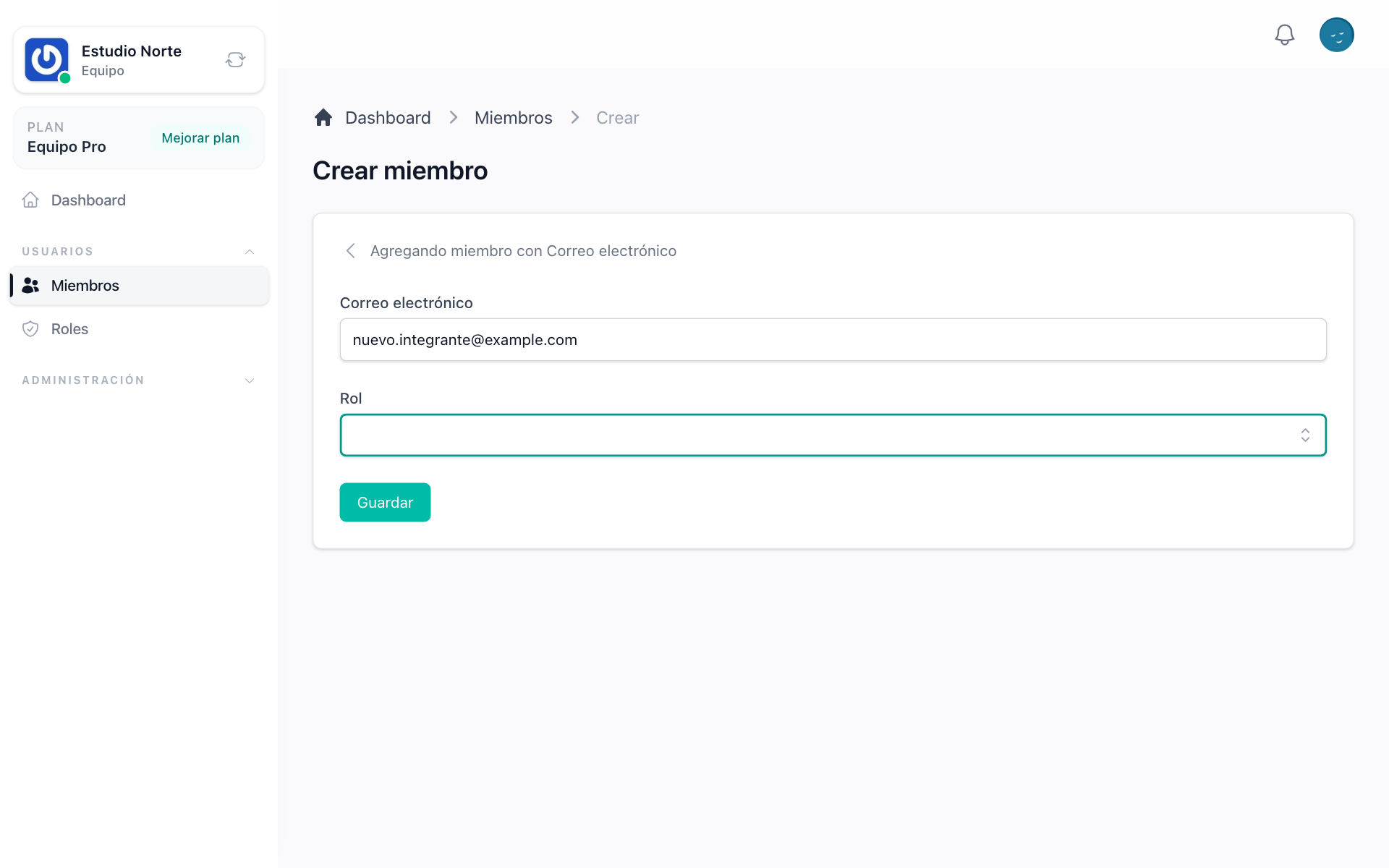
Add a member with whatever you have
One field takes an email, a phone or a username, the same identities your product accepts at sign-in. Choose the type or let the form detect it, pick a role, and the person is in.
How adding a member works →An account that already exists joins immediately
When the identity belongs to someone who already signed up, they are added to the team with the role you chose and told about it, in the account and by email.
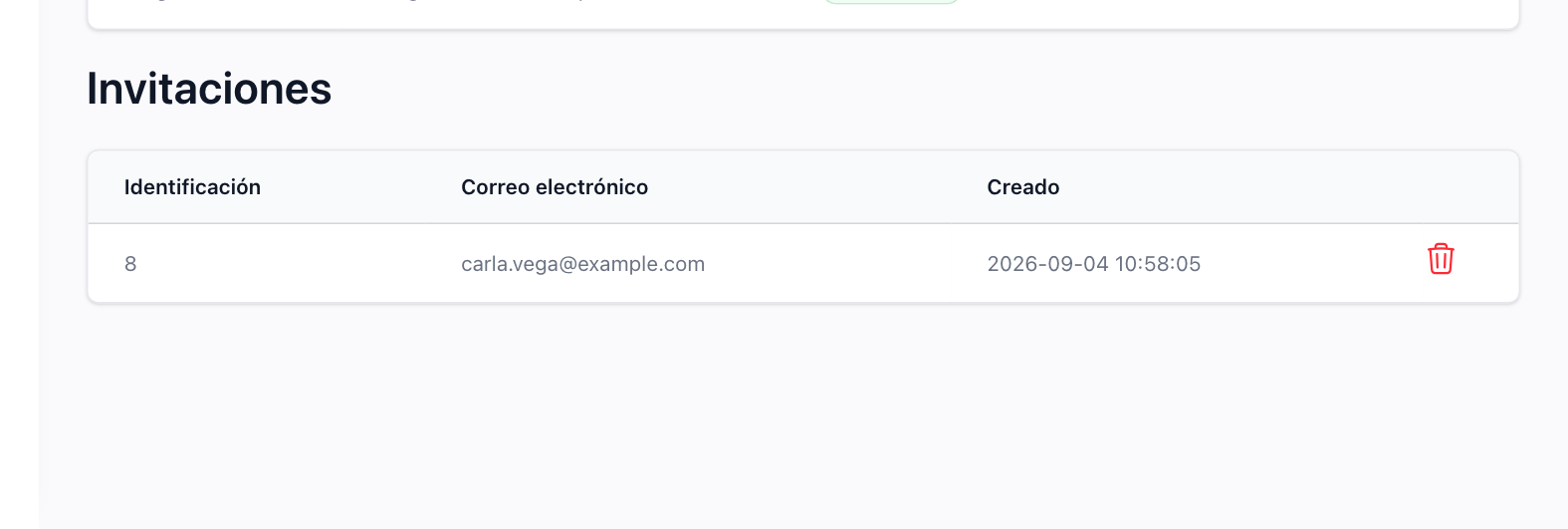
Invite someone who has not signed up yet
An email that has no account gets an invitation with a link to register. The moment they sign up, they land in the team with the role that was waiting for them, and the invitation is closed.
How to choose the invitation mode →Or create the account for them
In the other mode, the account is created on the spot with the name you type, attached to the team, and the person receives an email to set their password. No pending state, no second step for the owner.
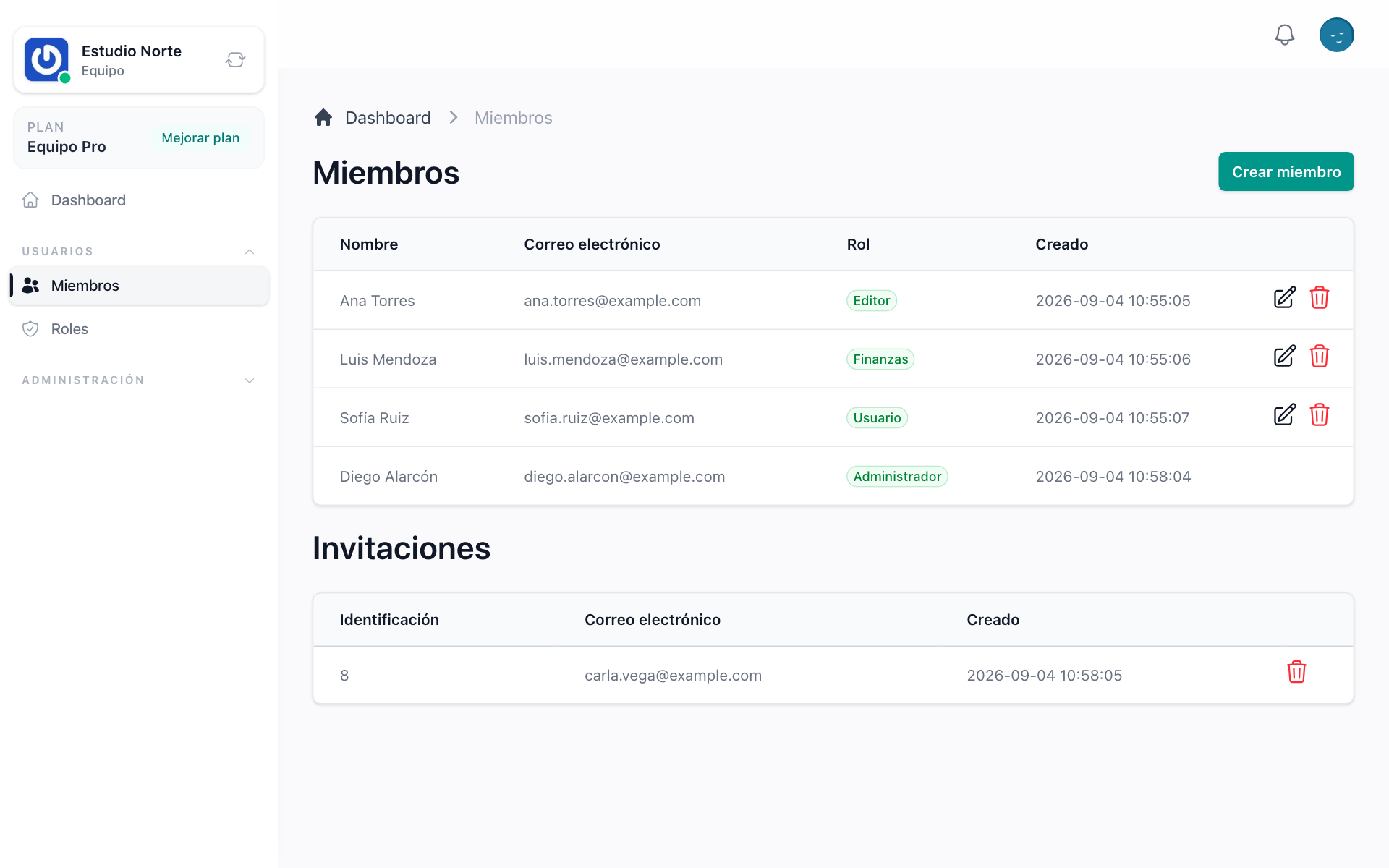
See who is in and who is still pending
The members screen lists every member with their role and every invitation that has not been answered. Change a role from the list, remove a member, or cancel an invitation.
Stop at the limit of the plan
Members and pending invitations count against the plan of the team. When the team is full, adding one more says so and points at the plans page instead of failing quietly.
How limits work per team →